Installment payment
This section describes the entire checkout process in case you want to integrate the 'Installment payment' module. This is divided into four steps: creation, start, confirmation and result. From here, you will jump to the different sections where each operation is described in detail.
Checkout process
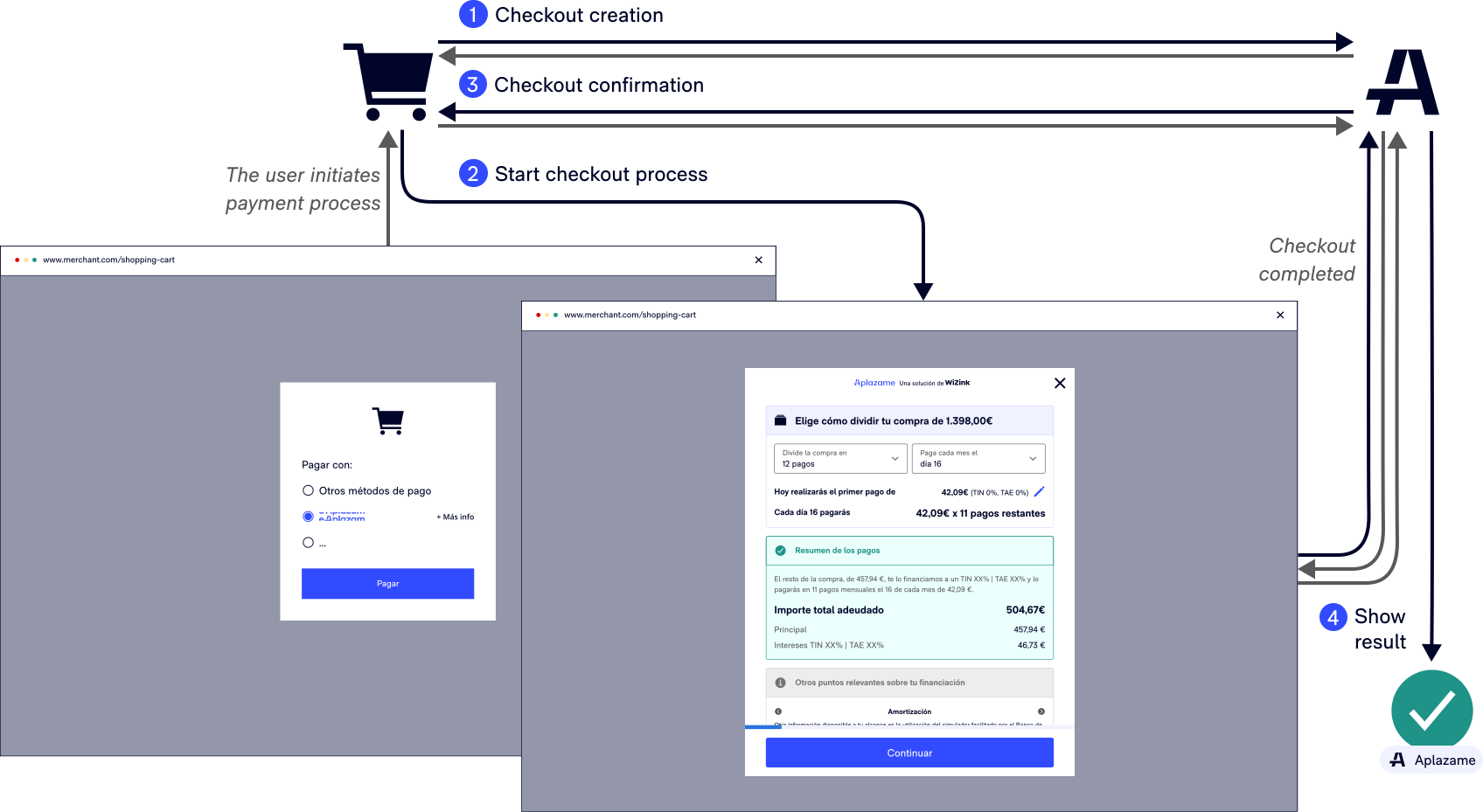
1. Checkout creation
Once the buyer has selected Aplazame as the payment method for your online store, you need set up a call to your server that allows the creation of a new checkout to begin using Aplazame’s REST API.
See the technical description of how to create a checkout
We offer you the possibility of integrating our payment button with Aplazame, which enables or disables the payment method automatically based on the limits configured in your account
2. Checkout start
Once you have created the checkout, Aplazame will return an 'ID' with which the gateway payment method for the buyer will begin.
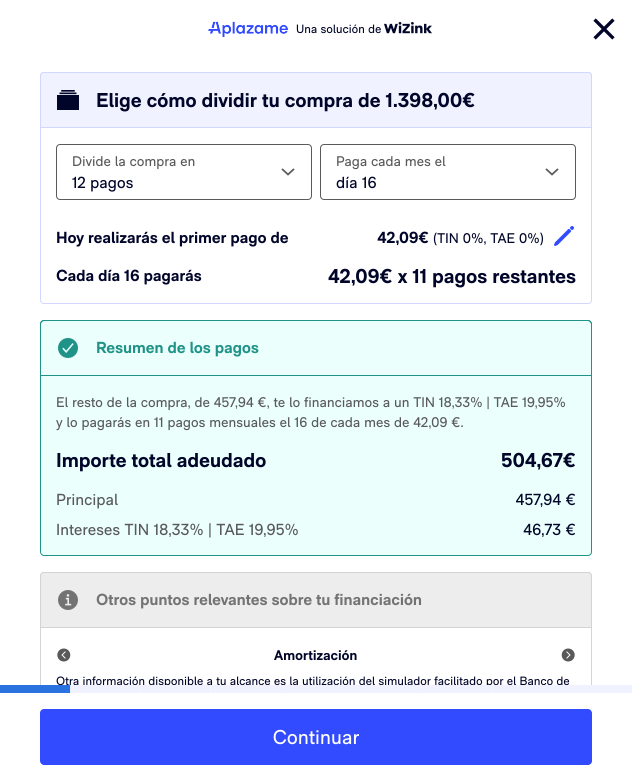
See how to start the checkout process for the buyer with:
3. Order confirmation
Once the buyer has completed the payment process satisfactorily, Aplazame will confirm the result with your store.
See the technical description of how to confirm an order
4. Result of the request
Finally, once the payment process has been completed, Aplazame will show the result of the financing request to the buyer.
If you like, you can configure return functions for different process events: